AI is changing the way we build software. Developers now use AI tools to write code, test apps, review logic, and debug issues. These tools speed up work and cut the need for long coding hours. Many teams now finish tasks in minutes that once took hours. A report from MIT Technology Review explains that …

AI is changing the way we build software. Developers now use AI tools to write code, test apps, review logic, and debug issues. These tools speed up work and cut the need for long coding hours. Many teams now finish tasks in minutes that once took hours.
A report from MIT Technology Review explains that AI tools can boost coding output and reduce errors at the same time. This makes AI a key part of fast and smart software work today. If you want help with AI development, you can explore the team at Wavenest.ai.
This guide explains the top AI coding tools that help reduce development time by up to 70 percent. The goal is to keep each point clear and simple so you can pick the right tool for your team.
Why AI Coding Tools Matter in 2025
AI tools help you write clean code in less time. They also help you avoid errors, test features, and fix bugs before they grow. This leads to a faster build and a better product.
Many teams use AI tools to save cost and improve the speed of project flow. You can build more in less time and reach users earlier. This gives you a strong edge in the market.
1. AI Code Assistants
AI code assistants help you write code with simple prompts. You can ask them to create functions, fix bugs, or format logic. These tools support many languages like JavaScript, Python, and PHP.
They save long hours of typing and searching for syntax rules. Moreover, they help new developers write code faster with clear suggestions. They also help senior developers move fast on complex sections.
AI code assistants are great for both small and large teams. They help you build clean features in less time.
2. AI Testing Tools
AI testing tools help teams test software fast and with less effort. These tools use machine learning to scan code, detect bugs, and predict where errors may appear. They also run tests across many scenarios without extra manual work. This saves time and improves software quality.
AI testing tools understand patterns in your code. They learn how your system behaves and highlight areas that may break. They also write simple test cases based on your inputs or prompts. This helps developers avoid spending long hours writing test scripts. It also helps teams test features early in the build process.
These tools work with web apps, mobile apps, and backend services. They can check user flows, API responses, and interface errors. They can even replay user actions and detect changes that may cause issues. This level of support gives teams confidence during releases.
AI testing tools remove slow manual work and help teams ship updates faster. They reduce bugs, improve the user experience, and support your product as it grows. With AI testing, your team can focus more on building features and less on finding errors.
3. AI Debuggers
Debugging is slow and often painful. AI debuggers find the root cause fast. They read your code and explain the problem in simple words. They show the fix and help you apply it with one click.
AI debuggers save time and reduce human error. They also help junior developers learn clean habits. With AI help, you solve code issues in minutes and move back to building features.
These tools can handle large files and deep logic blocks. They help you fix issues even inside complex systems.
4. AI Documentation Tools
Writing documents takes time. AI tools help you create clean documents from your code. They read your functions and explain what each part does. They turn your code into simple notes and clear guides.
Teams use these tools to make handovers smooth. They also help new members learn fast. Good documents keep work clean and easy to maintain.
AI documentation tools save hours of typing and help the whole team stay aligned.
5. AI Code Review Tools
AI can review your code like a senior engineer. It checks style, patterns, and logic. Furthermore, it tells you where the flow looks wrong or unclear. It even helps you rewrite parts to make the code clean.
These tools help you avoid long review rounds. They also reduce small mistakes. With AI reviews, you build stable features with less back and forth.
AI code review tools help companies keep consistent standards in large teams.
6. AI API Builders
Many apps need APIs to work with data. AI tools help you build APIs with simple prompts. You can create routes, logic, and tests in a short time. You can even ask the tool to fix or improve old APIs.
AI API builders help teams deliver backend work much faster. They also reduce common mistakes and improve stability.
These tools can generate full API files with simple steps.
7. AI UI Builders
AI UI builders help teams create user interfaces with speed and ease. They turn simple text prompts into ready designs, layouts, and components. This makes the design process much faster and helps even non-designers create clean and modern screens. You can describe your layout, and the tool creates it in seconds.
These tools help reduce the time teams spend planning and drawing wireframes. They can generate dashboards, forms, menus, and buttons with very little input. You can also try different layouts without doing extra design work. This gives you more options and faster results.
AI UI builders also produce clean code for the components they create. Many tools export React, Vue, or HTML code that developers can use right away. This removes the gap between design and development. It also reduces errors and improves team flow.
These builders are perfect for fast MVPs, SaaS dashboards, mobile apps, and admin panels. They save time, reduce design costs, and keep the UI simple and consistent. With AI UI builders, you can move from idea to working interface in a very short time.
UI builders also help you test color styles, fonts, and layouts. You can try many versions without manual design work. This speeds up UI work and helps teams launch faster.
8. AI Database Helpers
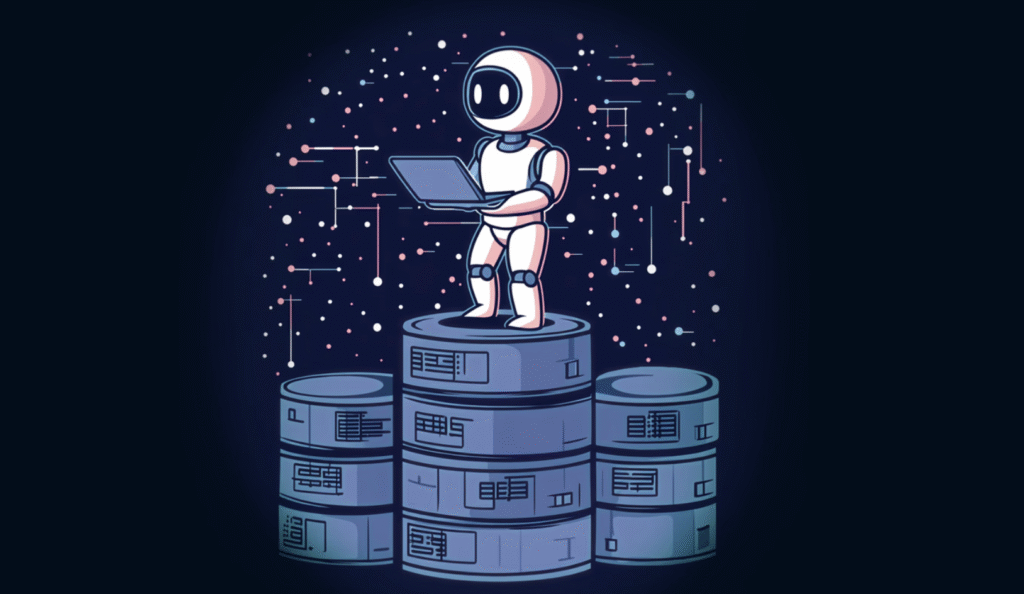
AI can help you design your database. It shows you table structures and relations. It helps you write queries and fix slow parts. This removes the need for long planning and research.
AI database tools help both new and expert developers. They make the setup clear and easy. They also help you avoid data issues.
These tools work with SQL and NoSQL systems.
9. AI DevOps Assistants
AI DevOps tools help you deploy apps with less effort. They check your logs, alerts, and errors. Moreover, they show you simple fixes and improvements. They also help you automate backups and uptime checks.
With AI help, you keep your system stable with less manual work. This helps you focus on building features instead of running servers.
AI DevOps tools save cost and keep your app online.
10. AI Refactoring Tools
Refactoring means cleaning old code. AI tools help you rewrite your code without changing the output. They make your code shorter, cleaner, and easier to read.
Refactoring often takes long time. AI tools reduce this time by a large margin. They also help you avoid mistakes and repeated bugs.
Clean code means easy updates and faster builds.
How AI Cuts Down Development Time by 70%
AI cuts development time by 70 percent because it removes slow and repetitive steps from the coding process. Developers no longer need to write every line of code by hand. AI tools generate functions, fix errors, write tests, and create clean documentation within minutes. This increases speed and reduces the mental load on the team.
AI also helps teams skip long research sessions. Instead of reading many pages of technical content, developers can ask AI for exact answers. This gives quick direction and avoids blockers. When the team moves faster, the entire project timeline becomes shorter.
Testing and debugging are also faster with AI. These tasks usually consume a large part of development time. AI tools scan code, detect issues, and offer fixes early in the build. This stops bugs from growing and reduces rework. Less rework means less time lost.
AI also speeds up planning, design, and workflow steps. Teams can create screens, models, and API structures with short prompts. They avoid long planning cycles and jump straight into execution. When every part of the process becomes faster, overall development time drops. This is how AI helps teams build better products in less time.
AI reduces time by helping with all core tasks:
- Faster coding
- Cleaner debugging
- Quick reviews
- Better tests
- Clean documents
- Easy API builds
- Clear UI design
Final Thoughts
AI coding tools help teams move fast and stay productive. They reduce the need for long code work and help you fix issues early. They also improve the quality of your product.
You can add AI tools to your workflow with no heavy setup. You can start small and grow step by step. Once you use AI tools, the speed difference becomes clear at once.
If you want an expert team to guide you, you can explore the services at Wavenest or reach out through the contact page.